Play Connect Four Online
A clean online version of the classic Connect Four. Invite a friend, add a bot, and drop discs in real time.
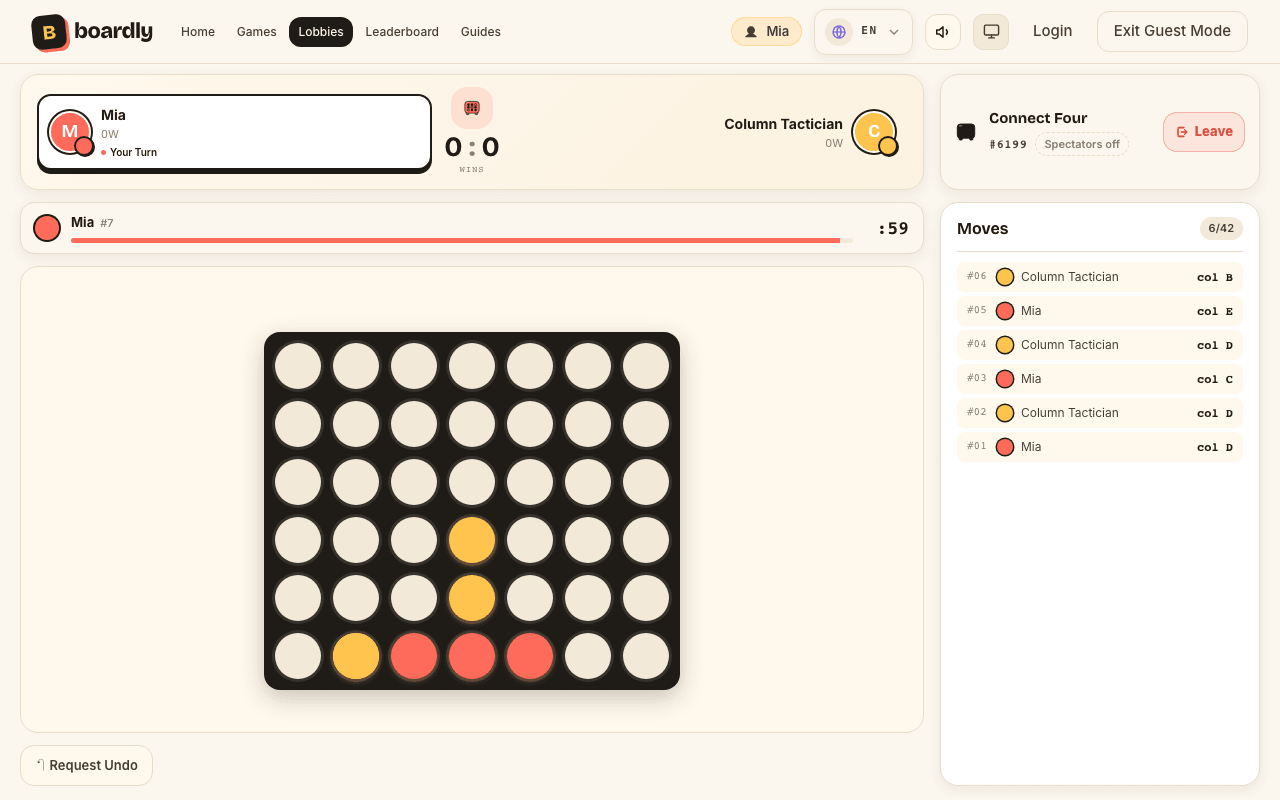
Can you play Connect 4 online for free with a friend?
Yes. The board is the standard seven columns by six rows, played live in the browser: send a friend your lobby code, or pick easy, medium or hard and drop discs against a bot. Free, nothing to install, and a guest name is all the account you need.
What is Connect Four?
Connect Four is a strategy game for two on a board seven columns wide and six rows tall. On your turn you choose a column, not a square, and your disc slides down to the lowest empty cell in it.
The first player to line up four discs of their own colour – across, up and down or along either diagonal – takes the round. If all 42 cells fill without a line, the round is drawn.
How to play
- 1Create or join a lobbyStart a room from the lobbies page, or type a friend's four-digit code to join theirs. The host picks the turn timer when creating it.
- 2Choose friend or botSend the code to one other person, or give the second seat to a bot. Bots come in easy, medium and hard.
- 3Drop your discClick or tap a column on your turn and the disc falls as far as it can. The cell you want may stay out of reach until the column beneath it fills.
- 4Connect four to winFour in a row in any direction wins the round. Play Again clears the board and keeps the running score.
Connect Four rules
- 1Players alternate, one disc per turn, and the host moves first.
- 2A disc always drops to the lowest free cell of the column you pick, and a full column cannot be chosen.
- 3Four of your discs in one unbroken straight line win: horizontal, vertical or diagonal in either direction.
- 4When all 42 cells are taken and nobody has a line, the round is a draw and neither player scores.
- 5In a series the host keeps the opening move every round, and each win adds a point to the scoreboard.
- 6Letting the turn clock run out does not skip your move – it hands the round to your opponent.
- 7Either player can ask to take back the last move, and it is only undone if the other side accepts.
Modes and settings
- A clock on every move
30, 60, 90 or 120 seconds per move, with 60 as the default. There is no untimed option, so even a slow game keeps moving.
- Three bot levels
Drop Rookie picks any open column, Column Tactician takes a winning move or blocks yours, and Gravity Grandmaster searches six moves ahead.
- Rounds and a running score
Play Again resets the board inside the same lobby and keeps the tally, so one sitting becomes a match to as many wins as you like.
Connect Four strategy
- 1.Open in the middle
The fourth column belongs to more possible lines than any other. Going first, drop your disc there; going second, answer right beside it.
- 2.Leave the edge columns for later
An outside column is part of only a few possible fours. Spend the early turns where lines cross, and keep the edges for finishing moves.
- 3.Build towards two threats
A position with two cells that would each complete a four cannot be stopped with one disc. Every plan should head there.
- 4.Keep those threats apart
Two threats that both need the same column can be answered with a single block. Spread them so the defence needs two turns it does not have.
- 5.Block with a disc that builds
When you have to stop a line, pick the blocking cell that also extends one of your own. Pure defence leaves you a move behind.
- 6.Make their block work for you
A threat they must answer decides where their next disc lands. Arrange it so that disc opens the cell you need above it.
- 7.Count the rows under a threat
A threat only becomes playable once the cells below it are filled. Counted from the bottom, odd-row threats tend to favour the first player and even-row threats the second.
- 8.Check both diagonals
Rows and columns are easy to see; a diagonal grows across four different columns. Scan both directions before every drop.
- 9.Against Gravity Grandmaster
The hard bot looks six moves ahead, so a trap that only works next turn will not land. Build threats that pay off further out.
Common mistakes
- Opening the cell above
Dropping into a column where the next disc wins for your opponent is the most frequent losing move.
- Only ever blocking
A player who never builds cannot win. After two pure blocks in a row, look for a threat of your own.
- Building a tower
Stacking one column early fills it fast and leaves the cells beside it to your opponent.
- Forgetting the clock
A timed-out move loses the whole round. On 30 seconds, settle on a column before the last few ticks.
Playing together online
- Play a friend online
Send the four-digit code or the lobby link. Each disc appears on both screens the moment it lands, whatever device either of you uses.
- Play alone against a bot
Use Play vs Bot above for an instant game, or add a bot to the second seat of your own lobby.
- A clock both players see
The countdown shows on both screens, so nobody is left waiting on an opponent who wandered off.
- Nothing to install
It runs in any browser on a phone, tablet or computer, and a guest name is all you need to sit down.
Why play Connect Four on Boardly?
- Real-time multiplayer in the browser.
- Bot support for solo play.
- Play again with one click after the game ends.
- Free to play as a guest.
Who it suits
Connect Four suits two people who want a quick game with a real decision in every move. The rules fit in one sentence, a round is over within 21 discs each, and a child can beat an adult who stops paying attention.
Where Connect Four comes from
Connect Four was published by Milton Bradley in 1974 and has been sold under many names since, four in a row among them. Boardly uses the standard seven by six board.
In 1988 James D. Allen and Victor Allis showed independently that the first player can force a win with perfect play, starting in the middle column. Nobody plays 42 cells perfectly, which is why the strategy above still decides games.
Questions about Connect Four on Boardly
- Is Connect Four on Boardly free?
- Yes. Games with friends, all three bot levels and private lobbies cost nothing; Premium only adds cosmetic extras such as a custom avatar photo and never changes play.
- Do I need an account to play?
- No. A guest name lets you create or join a lobby and play the bots. A guest who has played is kept for 90 days of inactivity; register to keep your profile for good.
- Can I play Connect Four on my phone?
- Yes. Tap a column to drop a disc; the board is sized to the screen, and the game runs in the browser with no app.
- How many people play at once?
- Exactly two per game: you and a friend, or you and a bot. For three or four people, Yahtzee and Memory on Boardly take bigger groups.
- Can I take back a move?
- You can ask. The request goes to your opponent and the disc only comes back out if they accept; a bot always accepts.
- Is this the same game as Connect 4?
- Yes. Connect 4, Connect Four and four in a row are names for one game on the same seven by six board, and the rules here are the standard ones.
New to Connect Four? Read the rules and how to play.